

Hard Drive Data Recovery
We professionally recover data from damaged or undetected hard drives. We provide safe and effective data recovery solutions for deleted, formatted or inaccessible drives.
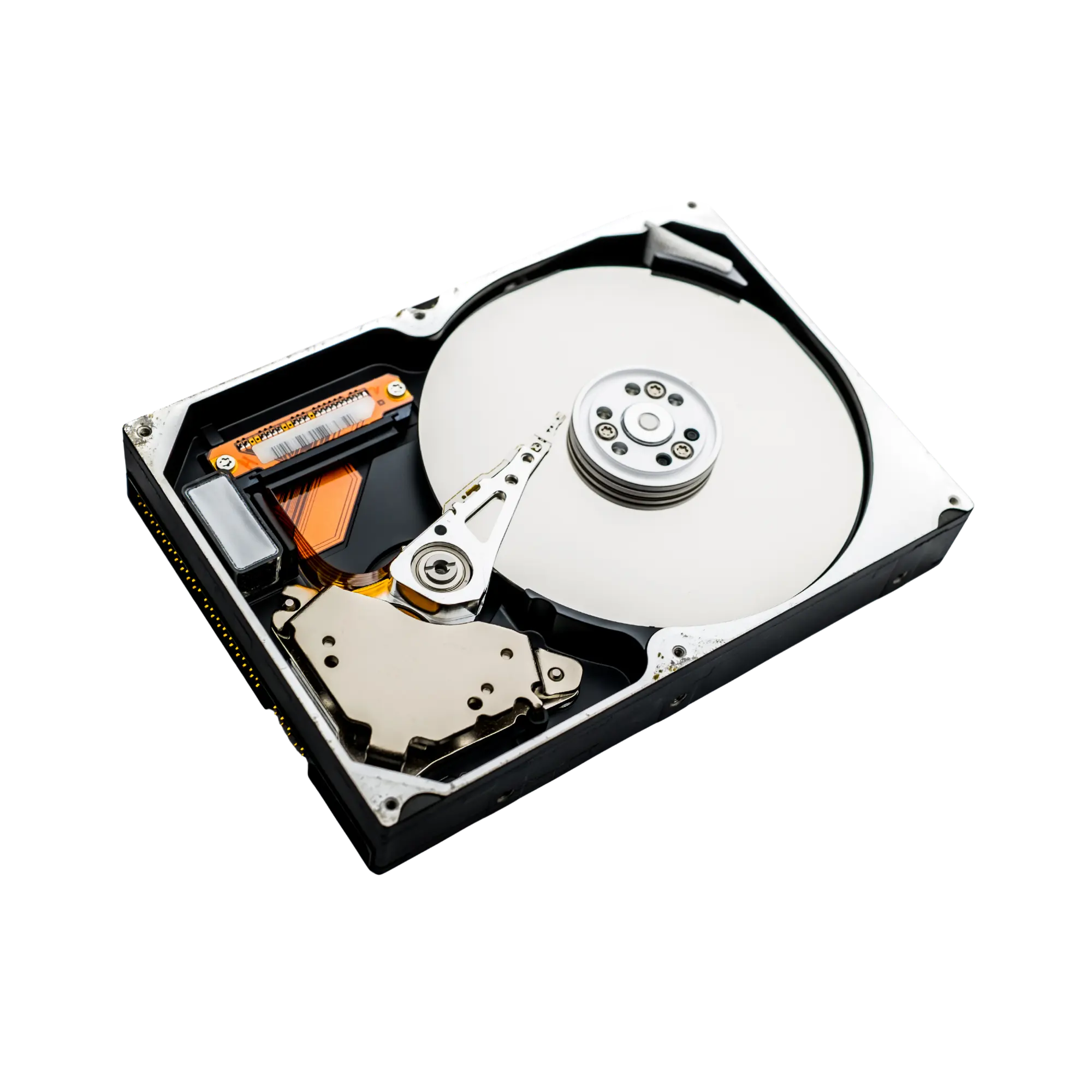
Is your hard drive not detected, making unusual noises or preventing access to your files?
Hard drive data recovery is the professional process used when a computer no longer detects a drive, an external hard drive will not open, the disk has been accidentally formatted, files have been deleted, the drive appears as RAW, bad sectors are present, the PCB has failed or the drive has a physical or mechanical fault.
Datotex provides hard drive data recovery in Antalya and begins each case with a technical assessment of the drive. Where appropriate, controlled imaging is used instead of working directly on the original disk. The goal is to determine the safest recovery method while minimizing further risk to the data.
Important: Do not repeatedly power on a failing hard drive.
Clicking noises, very slow reads, freezing, format warnings or a drive that repeatedly appears and disappears can indicate a serious fault. Repeated software scans, copying attempts or leaving a failing drive powered on for long periods can reduce the chance of successful recovery.
When is hard drive data recovery needed?
Not every hard drive failure is the same. The recovery method depends on the physical condition of the drive, the file system, previous recovery attempts and whether the original data has been overwritten.
Hard drive is not detected by the computer
The drive may not appear in the BIOS, Disk Management or File Explorer. The cause may be electronic, firmware-related, bad sectors or a mechanical failure.
External hard drive will not open
The USB enclosure, connector, drive PCB or the hard drive itself may be faulty. The first step is to determine whether the problem is with the enclosure or the drive.
Hard drive is making a clicking noise
A clicking hard drive can indicate a head, surface, motor or service-area problem. Drives showing these symptoms should not be repeatedly stressed with software scans.
Hard drive appears as RAW
When the file system is damaged, a drive may appear as RAW or display a “You need to format the disk” warning. Formatting the drive can make recovery more difficult.
Formatted hard drive
After a quick format, recoverability depends on whether the drive was used afterward and whether new data was written. The safest approach is to stop using the drive and have it assessed in its current state.
Deleted files and folders
Deleted documents, photos, videos and business files may be recoverable through professional analysis if the relevant storage areas have not been overwritten.
Bad sectors and very slow reading
If the drive reads extremely slowly, copying stops partway through or the computer freezes, controlled imaging may be required instead of normal file copying.
Dropped or physically impacted hard drive
Powering on a hard drive after a drop can increase damage to the heads or platter surfaces. Further attempts should be avoided until the drive has been physically assessed.
Burned PCB or electronic failure
A faulty power adapter, short circuit or power surge can damage the drive PCB. Correct recovery may require evaluation of the model, ROM data and board compatibility.
Recovery methods for different hard drive failures
The goal of professional data recovery is not to “repair” the hard drive for continued use, but to access the data as safely as possible and recover it to healthy storage.
| Symptom | Possible Cause | Recommended Approach |
|---|---|---|
| The drive asks to be formatted | File-system corruption, lost partition, RAW drive | Analyze the file system without formatting and, where necessary, recover from a disk image |
| The hard drive reads very slowly | Bad sectors, weak read/write heads, surface-reading problems | Use controlled and prioritized imaging instead of standard file copying |
| The drive is clicking | Head failure, service-area problem, surface damage | Stop powering on the drive and perform physical and firmware assessment |
| The drive does not spin | PCB, motor, power-circuit fault or mechanical seizure | Electronic testing, PCB/ROM evaluation and advanced physical recovery where required |
| Files were deleted or folders disappeared | User error, quick format, deleted partition | Logical data recovery analysis before any new data is written to the drive |
How does hard drive data recovery work?
A responsible recovery process should not promise a guaranteed result or exact price before the drive is assessed. For this reason, the process begins with a technical evaluation.
Initial Case Information
We collect the drive brand, capacity, failure symptoms and details of the data-loss scenario.
Technical Assessment
The physical, electronic, firmware and file-system condition of the drive is assessed.
Controlled Imaging
Where appropriate, a controlled image is created while preserving the original source drive.
Data Recovery
Recoverable files are analyzed and the folder structure and file integrity are checked.
Secure Delivery
After approval, recovered data is transferred to a healthy delivery drive.
What determines hard drive data recovery pricing?
Hard drive data recovery pricing depends on whether the failure is logical or physical, drive capacity, read stability, previous recovery attempts, the need for donor parts and whether urgent service is required.
Logical cases such as deleted files or quick formats are generally less complex. Clicking drives, head failures, seized motors, surface damage or drives that have previously been opened may require more advanced procedures and donor components.
Can data be recovered from every hard drive?
No. Recovery depends on the type of failure and the current condition of the drive. Chances can be lower when data has been overwritten, platter surfaces are severely damaged or scratched, or a failing drive has been repeatedly powered on and stressed.
The safest approach is to stop using the hard drive and have it assessed in its current state. Early intervention can directly affect how much data remains recoverable.
Related data recovery services
Data loss is not limited to hard drives. Similar problems can also affect SSDs, USB flash drives, memory cards, CCTV recording systems and RAID arrays.
Frequently asked questions about hard drive data recovery
Can data be recovered from a hard drive that is not detected?
In many cases, yes. The reason the drive is not detected is important. Possible causes include electronic failure, bad sectors, firmware problems or a physical mechanical fault. A technical assessment is required before the recovery chances can be evaluated.
Should I keep using a hard drive that is clicking?
No. Clicking can indicate a physical failure. Repeatedly powering on the drive may increase head or surface damage. Stop using the drive and have it professionally assessed.
Can files be recovered from a formatted hard drive?
Recovery may be possible after a quick format if no new data has been written to the drive. Installing an operating system, copying files or running recovery tools afterward can reduce the chance of success.
My external hard drive asks to be formatted. What should I do?
Do not format the drive. This warning is commonly associated with file-system corruption or a partition problem. The disk should be analyzed in its current state.
How long does hard drive data recovery take?
The time required depends on the failure type. Logical cases may be completed more quickly, while bad sectors, weak heads, physical failures or high-capacity drives can require considerably more time.
How are recovered files delivered?
Recovered files are normally transferred to a healthy delivery drive. A file list and recovery result can be shared with the customer before final delivery.
If your hard drive is failing, stop using it.
If your hard drive is not detected, is clicking, asks to be formatted or your files are inaccessible, contact Datotex to request a free initial assessment.