

RAID Data Recovery
We provide professional RAID data recovery services for data loss affecting server systems, NAS devices and RAID-configured storage systems. Data lost due to disk failures, incorrect configuration or system errors may be recovered using safe and controlled methods.
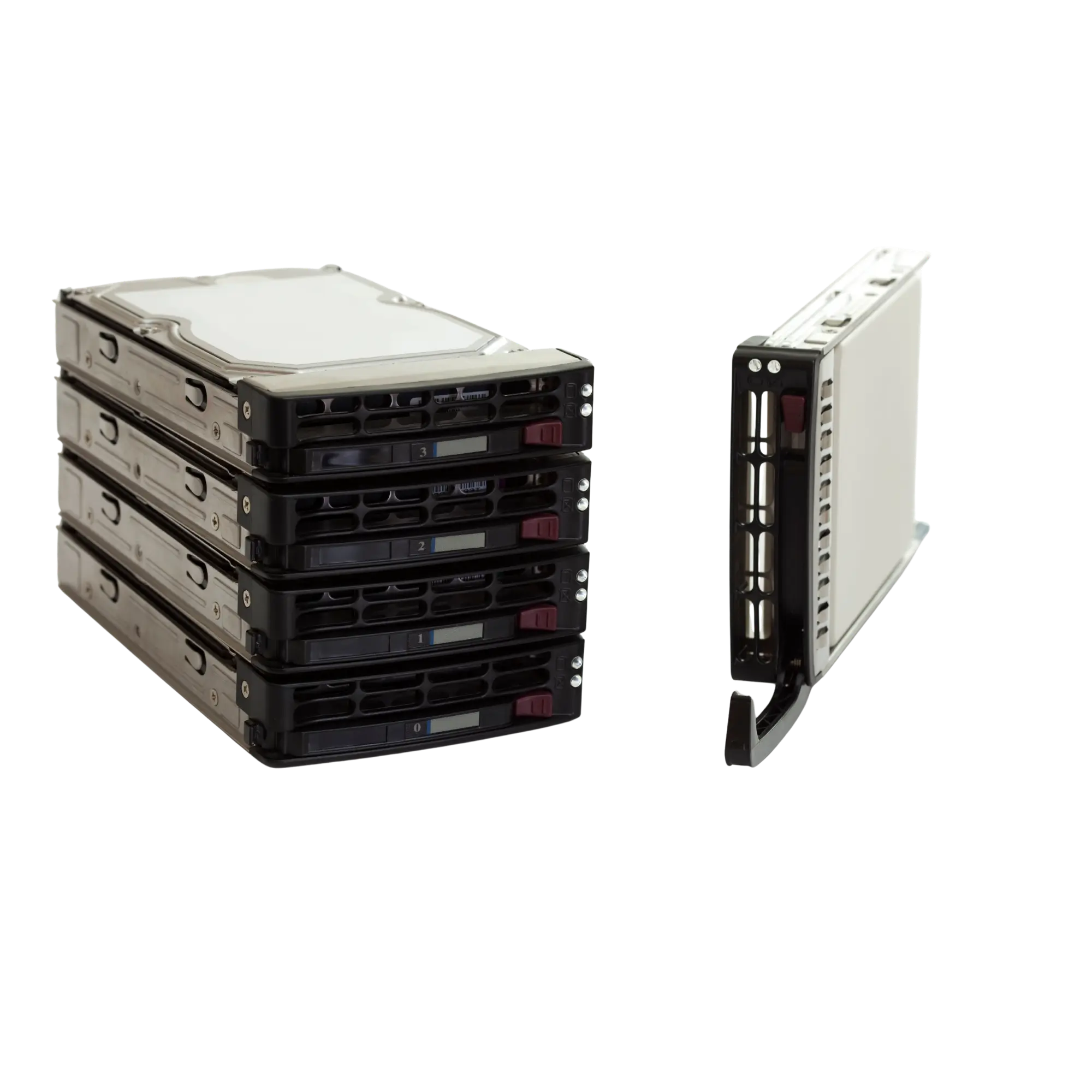
Data loss in NAS, server and multi-drive storage systems requires specialized analysis.
RAID data recovery is the professional process of analyzing data loss in RAID 0, RAID 1, RAID 5, RAID 6, RAID 10, NAS devices, servers, storage appliances and other multi-drive systems, then reconstructing the correct configuration so the data can be accessed again where possible.
Datotex works to preserve the current state of every drive in a RAID-configured system. Drive order, stripe size, parity layout, controller information, file system and failure history are evaluated together. The goal is to reduce the risk of an incorrect rebuild or further damage and recover the data as safely as possible.
An incorrect RAID rebuild can make data loss significantly worse.
When a RAID array fails, randomly replacing drives, starting a rebuild, changing drive order or creating a new configuration on the controller can overwrite existing data. The first steps taken after a RAID failure can directly affect the chances of recovery.
When is RAID data recovery required?
Although RAID systems are designed to improve availability and resilience, they can still become inaccessible because of drive failure, controller problems, incorrect intervention, power loss, file-system corruption or multiple disk failures.
The RAID array has failed
If the server or NAS no longer recognizes the RAID array, the volume is inaccessible or the system will not boot, each drive should be assessed individually.
Multiple drives have failed
When the fault-tolerance limit of RAID 5, RAID 6 or another array is exceeded, the system may become inaccessible. Drive readability and the sequence in which failures occurred can be critical.
An incorrect RAID rebuild was performed
A rebuild using the wrong drive, incorrect drive order or an interrupted rebuild can damage the RAID data structure. In these cases, the existing drives should be preserved and analyzed without further writes.
The NAS device will not start
Even if a Synology, QNAP, WD, Asustor or similar NAS device will not start, the RAID structure may still be examined directly from the drives.
RAID controller failure
When a hardware RAID controller fails, the volume may become inaccessible even if the drives themselves are healthy. Controller configuration and on-disk RAID metadata are evaluated during recovery.
Drive order has been mixed up
If the drive port order or bay positions have been changed, the RAID array may be interpreted incorrectly. The correct drive order can often be reconstructed through technical analysis.
Server files are missing or inaccessible
Virtual machines, accounting data, SQL databases, backup files or shared folders may have been deleted or may no longer be accessible.
The RAID volume was accidentally formatted
After deleting a volume or storage pool, or performing a quick format, recoverability depends heavily on whether new data has been written to the array afterward.
Virtual machines or databases will not open
If VHD, VHDX, VMDK, SQL, ERP, accounting databases or CCTV archives stored on the RAID are corrupted, file integrity and application-level structures may also need to be examined.
What should you avoid after a RAID failure?
The first action taken after a RAID failure can make the situation worse. Rebuilds, drive replacement and creating new volumes should be handled with particular care.
| Situation | Avoid | Recommended Approach |
|---|---|---|
| The RAID is degraded | Starting a rebuild before identifying the failed drive | Assess drive health and determine the likely failure sequence first |
| Multiple drives are reporting errors | Randomly removing, reconnecting or reordering the drives | Preserve drive order, review health information and determine imaging priority |
| The NAS will not start | Resetting the NAS, creating a new storage pool or formatting the drives | Preserve each drive separately and analyze the RAID structure |
| An incorrect rebuild has started | Continuing the process or attempting another rebuild | Stop the process and preserve the current state of all drives for analysis |
| The volume was deleted or formatted | Creating a new volume, copying files to the system or reinstalling it | Image the drives and analyze the file system before any new data is written |
How does RAID data recovery work?
At Datotex, RAID data recovery focuses on preserving each drive, creating controlled images where appropriate, determining the RAID parameters and reconstructing access to the file system.
Initial Case Information
We collect the RAID level, number of drives, device model, failure timeline, previous interventions and the types of critical data required.
Drive Labeling
Drive order, bay number, connection port and original physical position are documented and preserved.
Drive Assessment
Each drive is assessed individually for physical condition, bad sectors, SMART data, read stability and RAID metadata.
Controlled Imaging
Where appropriate, analysis is performed on controlled images rather than directly on the original drives to help preserve the source media.
RAID Reconstruction
Drive order, stripe size, parity rotation, offset and RAID level are determined through technical analysis.
File System Analysis
NTFS, ReFS, EXT, XFS, Btrfs, VMFS and NAS file systems are analyzed for data accessibility.
Data Verification
Folder structures, databases, virtual machines and critical files are checked for accessibility and integrity.
Secure Delivery
After approval, recovered data is transferred to healthy storage with suitable capacity.
Which RAID configurations can be analyzed?
The recovery method depends on the RAID level and file-system structure in use. The number of drives, parity layout, stripe size and controller metadata must be identified correctly.
- RAID 0 data recovery
- RAID 1 / mirror analysis
- RAID 5 and RAID 6 parity-based arrays
- RAID 10, RAID 50 and RAID 60 arrays
- Synology, QNAP, WD and Asustor NAS systems
- Windows Server, Linux, VMware and virtualized environments
How is RAID data recovery pricing determined?
Pricing depends on the number of drives, RAID level, drive capacities, physical failure status, rebuild history, controller problems, file system and the type of data that needs to be recovered.
- Number of drives and total capacity
- RAID 0, RAID 5, RAID 6 or RAID 10 configuration
- Number of failed drives and read stability
- Incorrect rebuild or overwritten data
- NAS, server, virtual machine or database content
- Urgent processing or technical reporting requirements
Related data recovery services
RAID cases are often related to hard drive failures, NAS recovery, server data loss, CCTV recording archives or digital forensic examination and reporting.
Frequently asked questions about RAID data recovery
Can data be recovered if two drives have failed in a RAID 5?
It depends on the type of failure, the order in which the drives failed and the readability of the remaining disks. RAID 5 normally tolerates one failed drive, so recovery after two drive failures requires technical analysis.
Can data be recovered after an incorrect RAID rebuild?
In some cases, yes. However, if the incorrect rebuild overwrote existing data, the chance of recovery can be reduced. Once an incorrect rebuild is identified, stop using the system and preserve the current state of all drives.
My NAS will not start. Should I connect the drives to a computer?
Randomly connecting the drives to a computer, accepting format prompts or running repair utilities can be risky. NAS systems may use proprietary RAID and file-system structures, so drive order should be preserved for professional analysis.
Can a RAID be recovered if the drive order has been mixed up?
In many cases, yes. Drive order can often be reconstructed by analyzing metadata, parity and data-block patterns. No new data should be written to the drives during this process.
Does a RAID controller failure mean the data is lost?
No. A controller failure by itself does not mean the data has been erased. If the drives are healthy, the RAID parameters may be reconstructed through analysis. Each case still depends on the condition of the disks.
How long does RAID data recovery take?
The time required depends on the number of drives, capacity, failure type, read speed, RAID level and file-system condition. Multi-drive cases involving physical disk failures can take significantly longer.
If your RAID system has failed, get professional advice before starting a rebuild.
If your NAS will not start, the RAID array has failed, multiple drives are reporting errors, server data is inaccessible or an incorrect rebuild has been performed, contact Datotex for a free initial assessment.