

DVR / NVR / XVR CCTV Data Recovery
We professionally recover deleted, formatted or inaccessible CCTV footage from DVR, NVR and XVR recording systems.
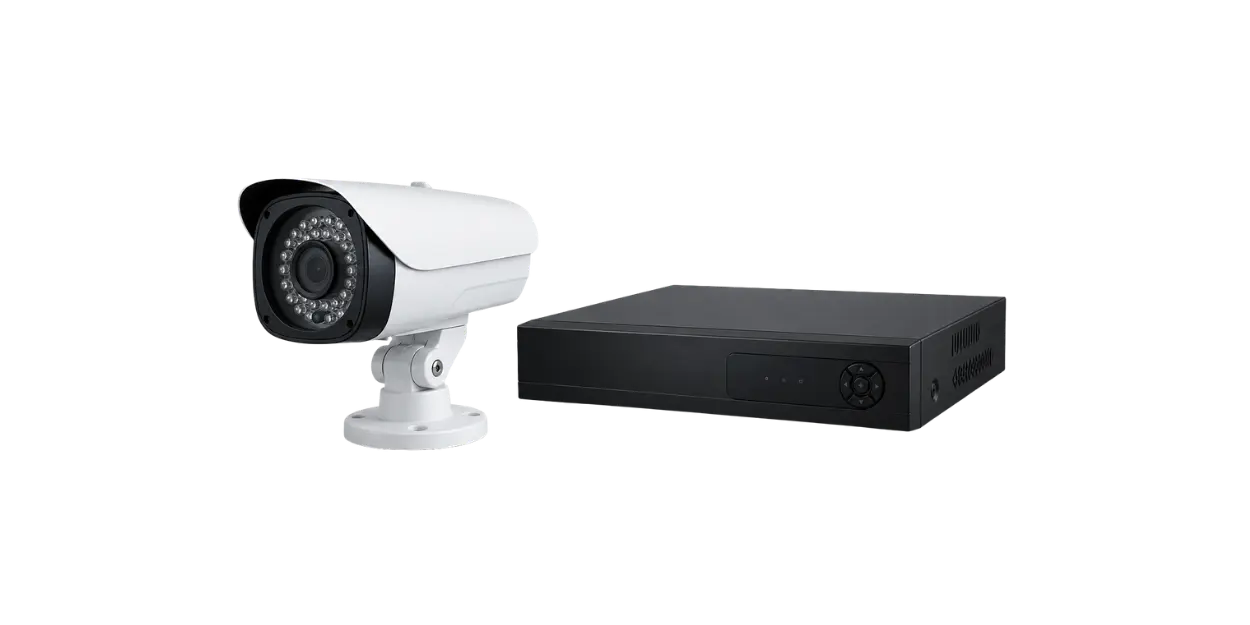
DVR, NVR and XVR recording systems use storage structures that differ from standard computer drives.
DVR, NVR and XVR data recovery involves the technical examination of CCTV footage that has been deleted, formatted, overwritten, become inaccessible, appears corrupted or can no longer be read by the recording system.
Datotex examines storage media used in CCTV systems for apartment buildings, offices, factories, hotels, retail stores, warehouses, residential complexes and private properties. The goal is to identify recoverable recordings while minimizing risk to the original storage media and, where possible, preserve date, time and channel information.
If the recorder keeps running, it may overwrite the footage you need.
DVR, NVR and XVR systems often overwrite older footage automatically when their storage becomes full. If the required footage is important, continuing to use the recorder can reduce the chance of recovery. Stop recording as soon as possible and plan the next steps before removing or modifying the storage device.
When is DVR, NVR or XVR CCTV data recovery required?
CCTV footage can become inaccessible because of accidental deletion, recorder formatting, hard drive failure, file-system or recording-system corruption, power loss, incorrect date/time settings or proprietary storage structures.
Deleted CCTV footage
Recordings deleted by a user or removed through the recorder interface may still be technically assessable if the relevant storage areas have not been overwritten.
Formatted DVR / NVR drive
If the drive was formatted through the recorder, recoverability depends on the type of format and whether new footage was recorded afterward.
The recorder does not detect the hard drive
If the recorder does not detect the drive, reports disk errors or no longer lists recordings, the cause may be a physical hard drive failure, file-system corruption or damage to the recording structure.
Older CCTV recordings are inaccessible
If footage is missing for certain dates, some days appear empty or recordings are missing from specific channels, the timeline, indexes and underlying data areas may need to be examined separately.
The DVR/NVR drive does not open on a computer
DVR/NVR drives often use proprietary recording structures and may not open normally in Windows or macOS. This does not necessarily mean that the footage is gone.
Recordings appear corrupted or incomplete
Power loss, unexpected shutdowns, bad sectors or corrupted recording indexes can leave video files fragmented, incomplete or unplayable.
The recorder was reset or its settings changed
Reset settings, incorrect date/time configuration or changes to channel settings can cause recordings to appear under the wrong time range or channel.
New footage has been written to the drive
If new CCTV footage has overwritten the storage area containing the required recording, the chance of recovery drops significantly. This is especially important in systems configured for continuous recording.
The proprietary video format cannot be opened
Some CCTV recorders use H.264, H.265 or manufacturer-specific video structures. Standard media players may not be able to open these recordings directly.
What should you do when CCTV footage is missing?
The most important step is to prevent new recordings from overwriting the date and time range you need. Incorrect handling can permanently reduce or eliminate the possibility of recovering the footage.
| Situation | Avoid | Recommended approach |
|---|---|---|
| Deleted CCTV footage is needed | Continuing to run the recorder | Stop the recorder and note the required date, time and camera channel |
| The drive was formatted | Reinitializing the recorder or starting new recordings | Preserve the drive and analyze an image of its current state where appropriate |
| The drive does not open on a computer | Formatting, repairing or running CHKDSK in Windows | Use analysis methods appropriate to the recorder's proprietary data structure |
| Recordings appear to be missing | Randomly changing date/time settings or modifying the drive | Examine the channel, date, time, recorder model and storage structure together |
| The hard drive is failing | Repeatedly reconnecting the drive or running long scans | Assess the physical condition of the drive and plan controlled imaging |
How does DVR, NVR and XVR CCTV data recovery work?
At Datotex, CCTV recorder data recovery is planned around preserving the original storage media, creating a safe image where appropriate, analyzing proprietary recording structures and extracting usable video.
Initial Case Information
We collect the recorder brand and model, drive capacity, required date/time range and camera channel.
Drive Assessment
The physical condition of the recording drive, bad sectors, read stability and connection response are assessed.
Controlled Imaging
Where appropriate, analysis is performed on an image rather than directly on the original drive to help preserve the source media.
Recording System Analysis
The proprietary file structure, index areas and recording timeline of the DVR, NVR or XVR system are examined.
Channel & Time Identification
Potential video segments are evaluated according to the required camera channel, date and time range.
Video Extraction
Recoverable recordings are exported in a suitable format or converted into playable video where possible.
Review & Verification
Video duration, recording integrity, channel information and the requested time range are reviewed against the case requirements.
Secure Delivery
Accessible CCTV footage is transferred to suitable storage media after confirmation.
What is examined on DVR, NVR and XVR storage media?
Drives used in DVR, NVR and XVR systems often do not expose a conventional folder structure like a normal computer drive. Searching only for filenames is therefore not enough; the recorder's proprietary data structure may need to be analyzed.
- DVR, NVR and XVR recording structures
- H.264, H.265 and manufacturer-specific video formats
- Channel, date and time indexes
- Deleted or formatted recording areas
- Possible data overwrite
- Bad sectors and physical hard drive failures
How is CCTV data recovery pricing determined?
Pricing depends on drive capacity, failure type, recorder architecture, the requested date range, whether footage has been overwritten, physical drive condition and any required video conversion or repair.
- DVR, NVR or XVR system type
- Drive capacity and read stability
- Deleted, formatted or overwritten recording status
- Required channel, date and time range
- Proprietary video format or conversion requirements
- Urgent processing or technical reporting requirements
Related data recovery services
CCTV recorder cases may also involve hard drive failure, digital forensics, video-file analysis or RAID/NAS storage systems.
Frequently asked questions about CCTV data recovery
Can deleted CCTV footage be recovered?
In some cases, deleted CCTV footage may still be recoverable if the relevant storage areas have not been overwritten. Because DVR, NVR and XVR systems often overwrite older recordings automatically, stop using the recorder as soon as possible.
Can footage be recovered from a formatted DVR or NVR drive?
It depends on the type of format, whether new footage was recorded afterward and the recorder's storage structure. If the system continued recording after the format, the chance of recovery may be lower.
My DVR/NVR does not detect the hard drive. What should I do?
Do not repeatedly restart the recorder or format the drive on a computer. The drive may have a physical fault or the recording structure may be damaged. A technical assessment should be performed first.
I connected the DVR drive to a computer, but it does not open. Is the footage gone?
Not necessarily. Many CCTV recorders use proprietary file systems and video structures, so their drives may not open directly on a standard computer even when recordings are still present.
Can old CCTV footage be recovered after it has been overwritten?
If the relevant storage areas have been completely overwritten by new recordings, recovery is generally not possible. With partial overwriting, only some dates, times or channels may remain available for analysis.
How long does CCTV data recovery take?
The time required depends on drive capacity, failure type, recorder structure, the requested date range and whether video extraction, conversion or repair is necessary. A more accurate estimate can be given after assessment.
If the CCTV footage is important, stop using the recorder.
If your DVR, NVR or XVR contains deleted, formatted, inaccessible or corrupted CCTV footage, contact Datotex to request a free initial assessment.